

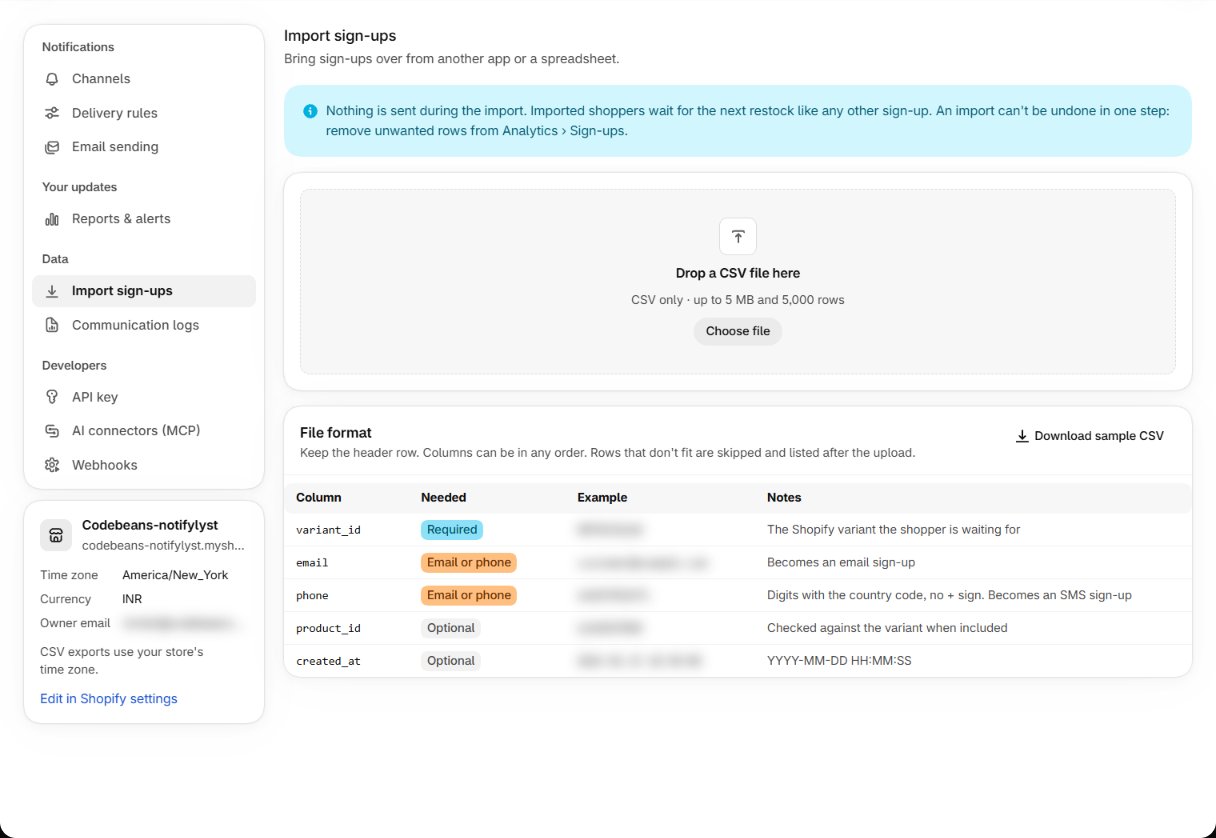
Nothing is sent during the import. Imported shoppers wait for the next restock like any other
sign-up — they are alerted the next time Shopify reports new stock for their variant.
The file
CSV only, up to 5 MB and 5,000 rows. Keep the header row; columns can be in any order. Download sample CSV gives you a file to start from.
Every imported sign-up asks for a quantity of 1 and uses English. Web push and WhatsApp sign-ups
can’t be imported; SMS rows need SMS to be active on your store.
Importing
- Prepare the CSV.
- Drop it on the page, or press Choose file.
- Read the summary. Rows that don’t fit are skipped and listed with the reason — for example the variant doesn’t exist in this store, SMS isn’t active, or that shopper is already signed up and waiting.
Problems
To add a single sign-up by hand instead, use Add sign-up on the Analytics page — see
Read your analytics.
Guides
Setup is done. Next: the day-to-day work.