

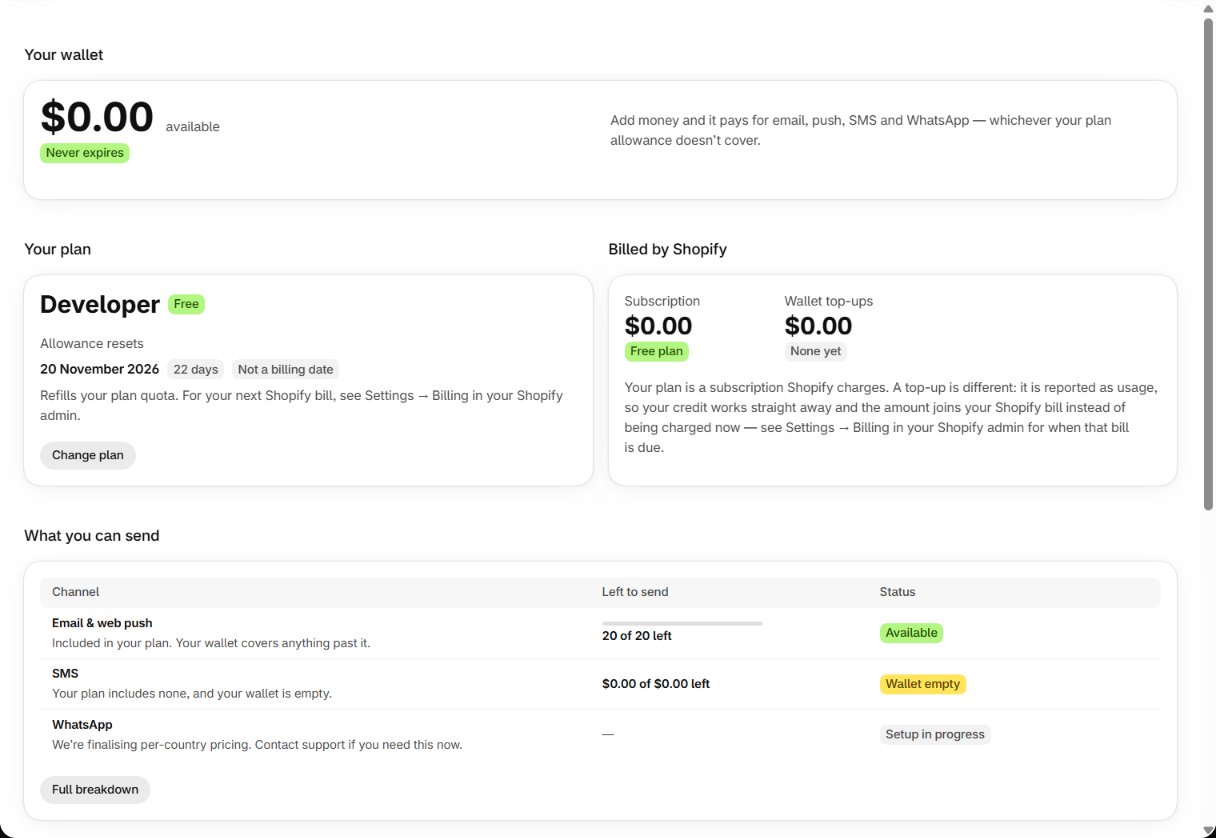
Idea one: plan allowance first, then one wallet
Each cycle your plan includes an allowance of email & web push notifications. Every send uses that first. Past it, sends are paid from your wallet — a single dollar balance that pays for any channel: email, web push, SMS and WhatsApp. There is nothing to split between channels in advance.Email and web push share one allowance. Running both doesn’t give you twice the capacity.
SMS and WhatsApp aren’t in any plan’s allowance — they are always paid from the wallet.
Idea two: nothing is lost when you run out
When both the allowance and the wallet are used up, alerts wait — they aren’t dropped and they aren’t charged. Home shows it under Needs your attention (for example SMS alerts are paused), the Dashboard shows N restock alerts are waiting to be sent, and Usage shows Sends are waiting for credit. As soon as you top up, or a new cycle refills the allowance, the waiting alerts go out by themselves. The full story: Your allowance runs out.What you can send
The table on Usage shows each channel’s state:Topping up
Usage → Add money (or Add credits anywhere in the app) opens Add credits: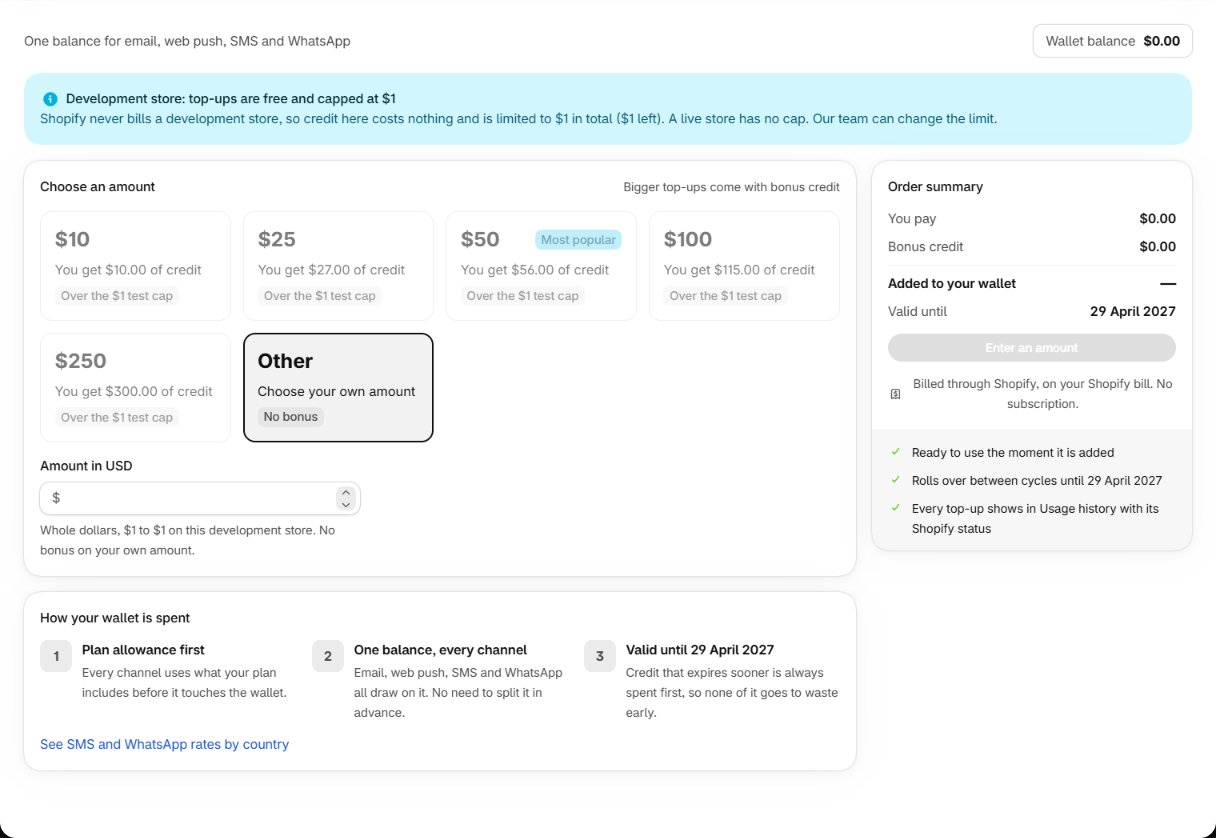
Check the Order summary — bonus, what is added, wallet after, and Valid until — then confirm
Add $X to your wallet? The amount is billed through Shopify as usage on your next Shopify bill;
there is no subscription, and the credit is ready to use the moment it is added. Every top-up shows
in Usage history with its Shopify status.
You need an active plan to top up. On a development store Shopify never bills, so top-ups are
capped (the page shows how much is left).
Per-country rates
SMS and WhatsApp are priced by the shopper’s country, and the spread is large. See SMS and WhatsApp rates by country on Add credits, or See rates on Usage history, opens the live list. Your cost depends on where your shoppers are, not where you are.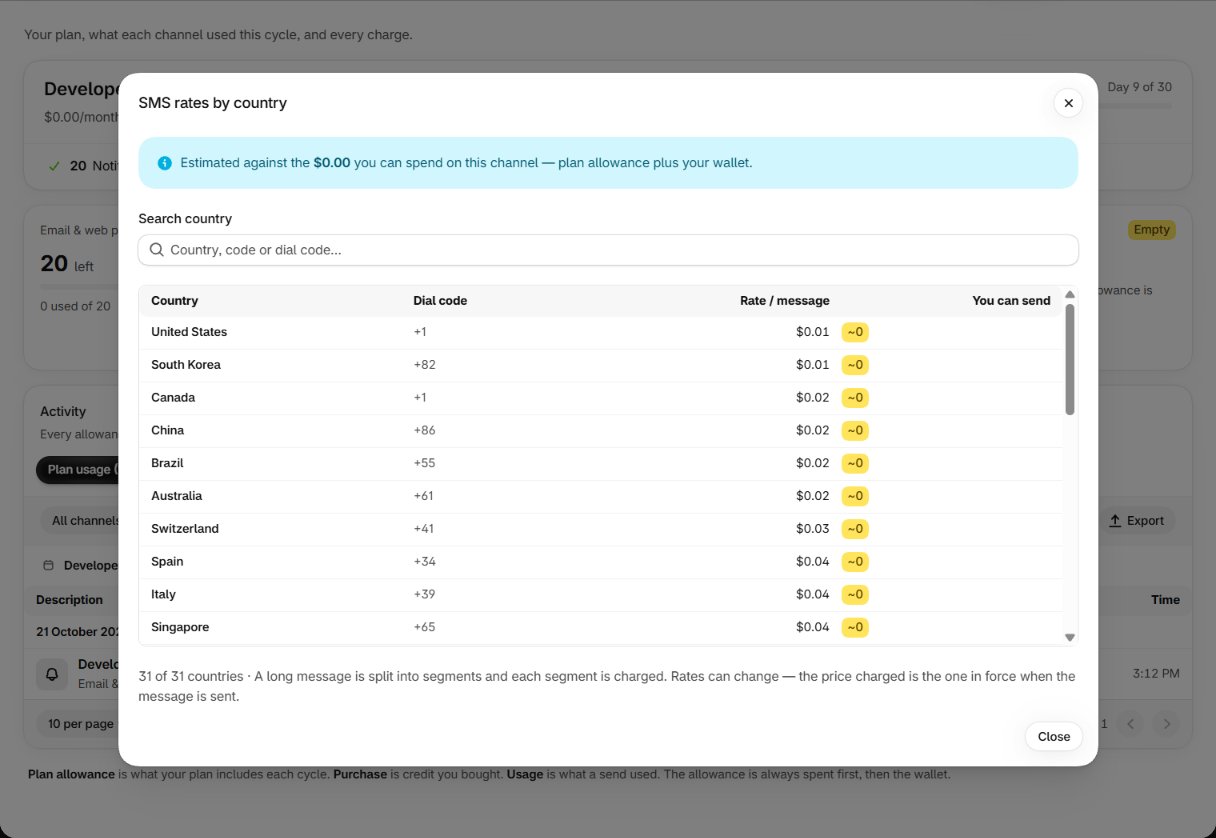
Where the money went
Usage → Open usage history is the ledger. The top shows your plan, the day of the cycle, and your limits (notifications per cycle, message steps, webhook endpoints, AI connector tokens and rate limit). Under Activity, switch between Plan usage, Wallet and Purchases, and filter by channel, entry type, cycle and date. Export emails the list as a CSV.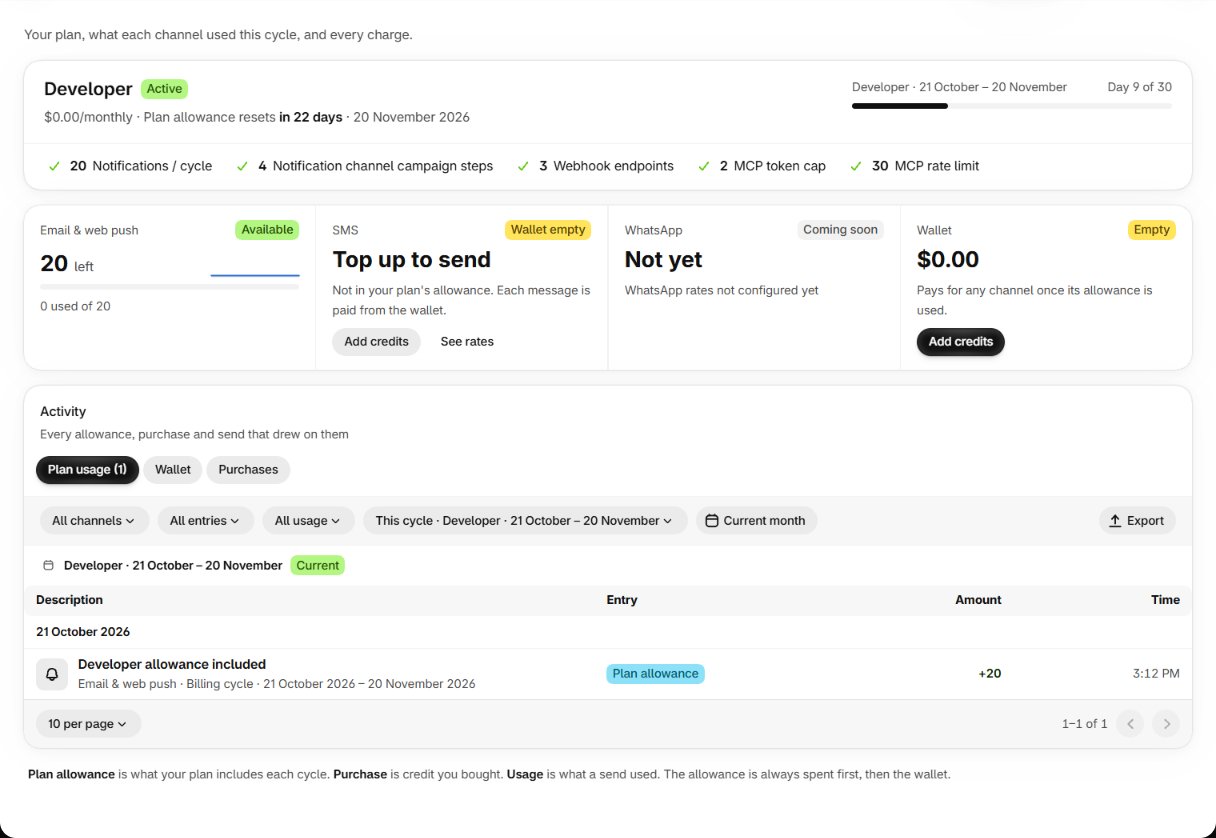
Staying ahead of it
The AI connector can do this review for you — usage, what drove the
spend, and whether another plan fits better — in one question.
Change your plan
Next: switching plans.